All-in-one booking and access for sports facilities.
From batting cages to indoor turf — run bookings, payments, invoicing, smart-lock access, and events from one dashboard.
Add a card to start your trial — you won't be charged until it ends.
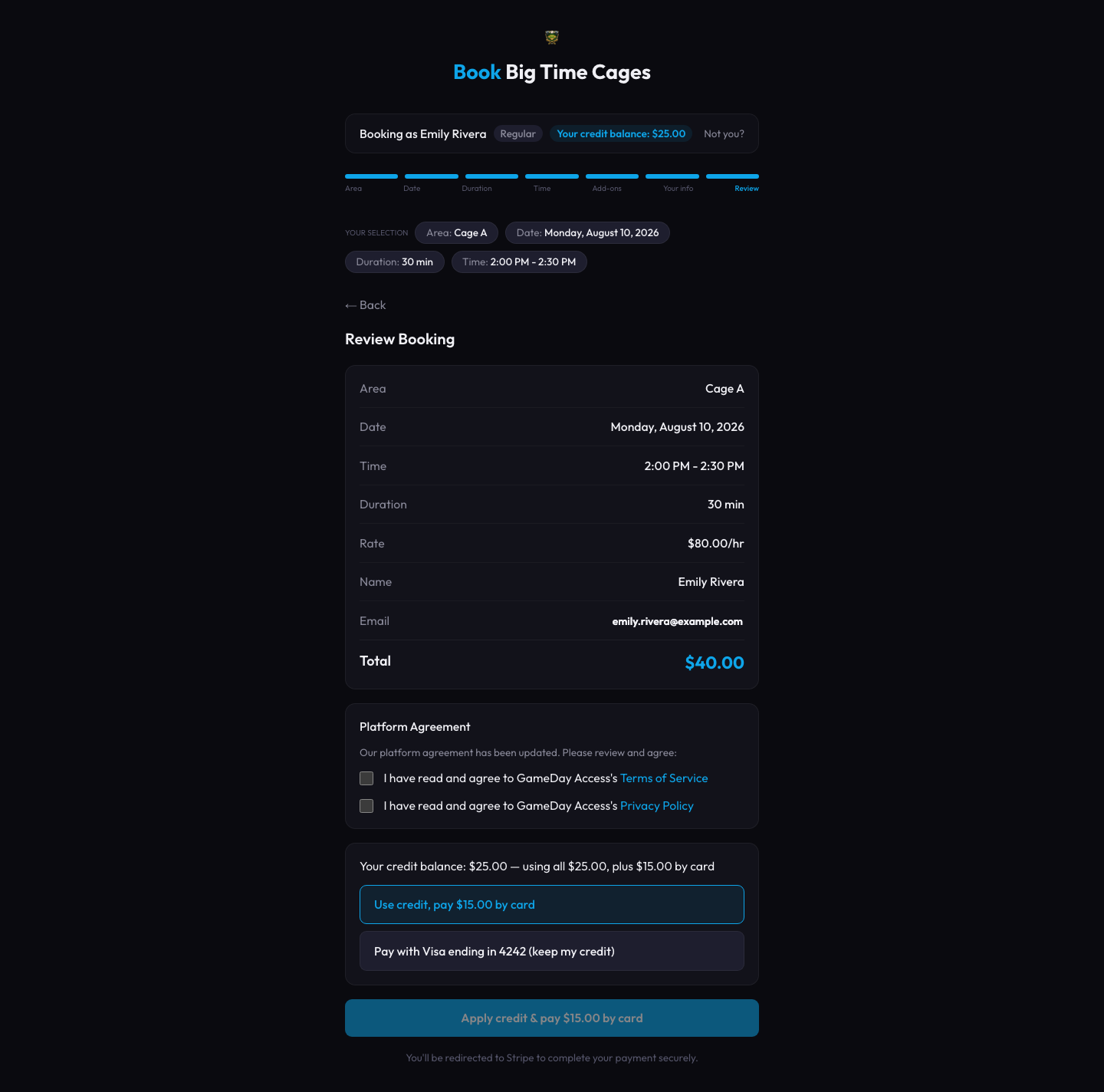
Book in seconds
Two products in one — built for both sides of the counter.
Operators get a complete back-office. Customers get a frictionless booking experience. Both are part of the same product, not bolted on.
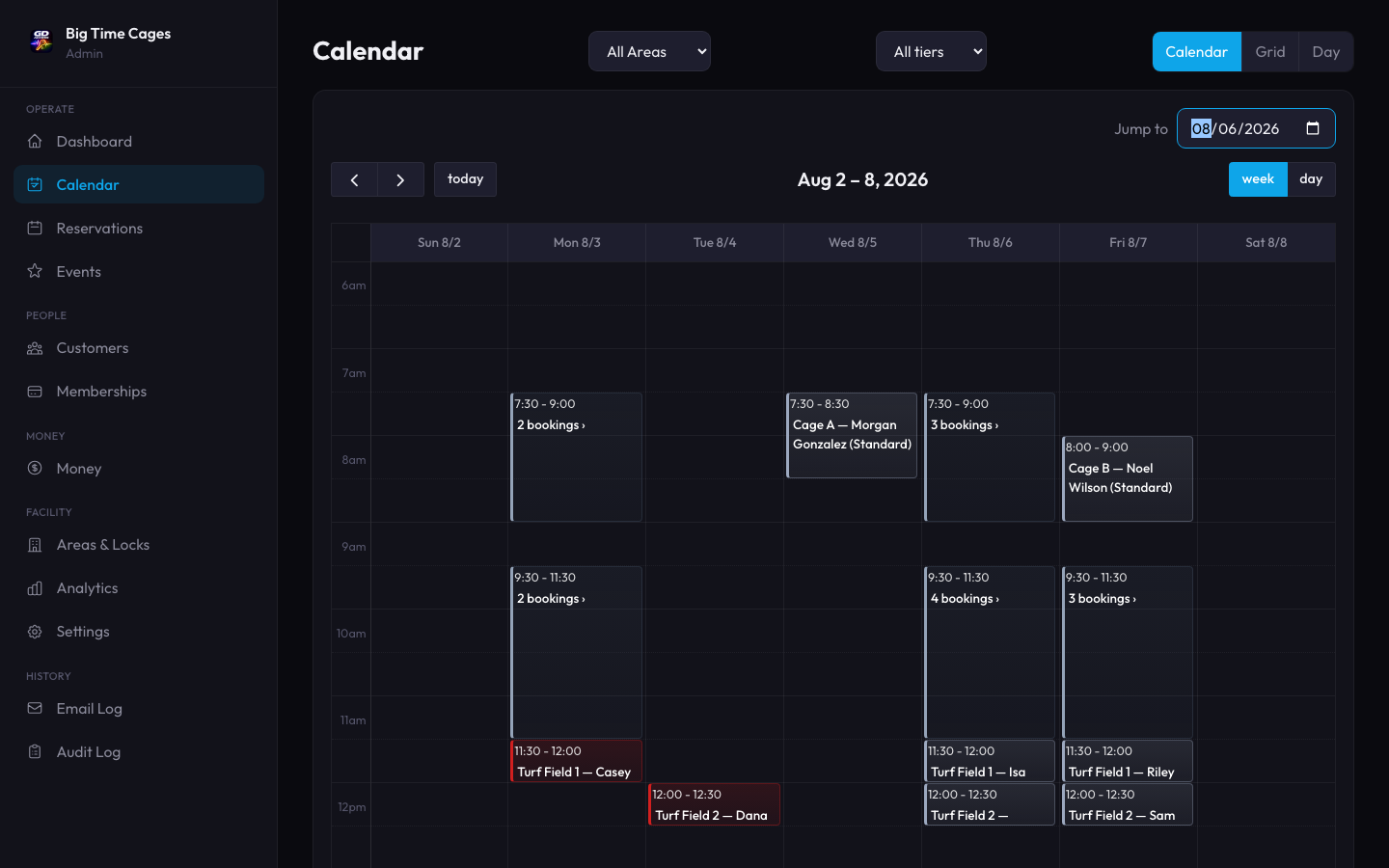
- Full calendar with one-click booking creation and conflict warnings
- Recurring blocks for tournaments, cleaning, and weekly downtime — set once, repeats daily, weekly, or monthly
- Customer list, revenue, audit log, and per-area analytics
- Require your waiver or customer agreement at booking — versioned and tracked
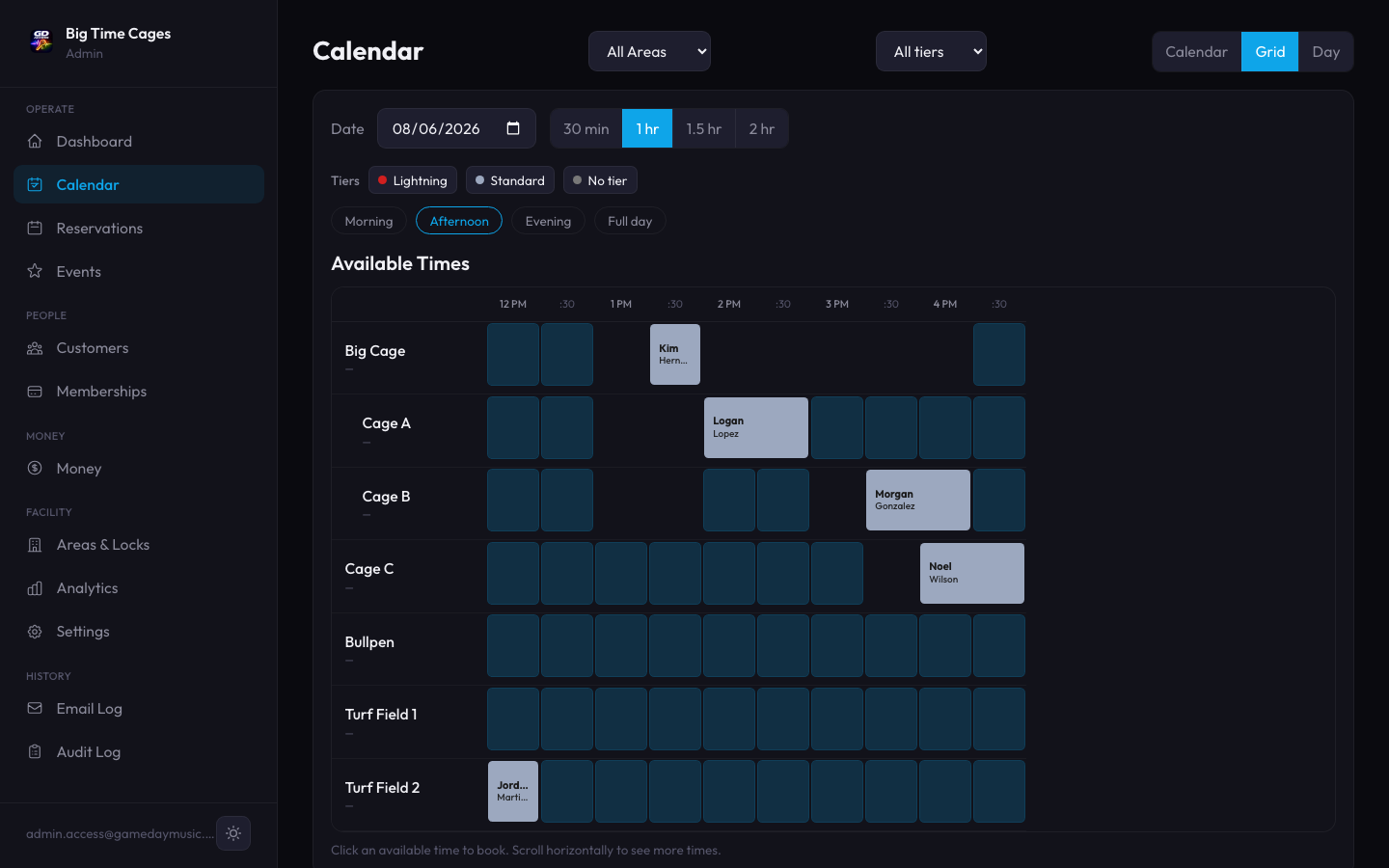
Also available: grid view

- Mobile-first booking from a clean public URL
- Customer accounts with credit balance and reservation history
- Stripe-powered checkout, secure card-on-file for repeat customers
- Lock code delivered by email instantly — or view it anytime in the GameDay Access app
- Native iOS and Android app for one-tap rebooking and instant access codes on arrival
The reservation tool that also opens the doors.
Every booking generates a unique smart-lock code, delivered automatically with the confirmation email. Customers arrive, the door unlocks for their time slot, then locks behind them. No keys, no key fobs, no front-desk handoff.
Works with Yale, August, Schlage Encode, Igloohome, Salto, and more — any lock Seam supports. No smart lock? Deliver rotating manual codes instead.
Sarah Johnson
Saturday 3:00 PM – 4:00 PM · Cage 2
Access code
7429
Active 2:45 PM – 4:15 PM
Rates as flexible as your facility.
Member tiers. Peak vs off-peak. Add-on discounts. Set it once in the admin, customers see their rate at checkout.
Customer tiers
Configure as many tiers as you need. Customers automatically get their assigned rate at booking.
Time-of-day
| Window | Hours | Rate |
|---|---|---|
| Weekday AM | 9am–3pm | $25 |
| Weekday Peak | 5pm–9pm | $40 |
| Weekend | All day | $35 |
Different rates for different times. Drive demand to off-peak hours without manual coupon work.
Add-on discounts
Give a tier its own discount on equipment and other add-ons, separate from its hourly rate.
Customers see exactly why they got their rate — member tier, off-peak window, or add-on discount, itemized at checkout.
Recurring memberships, not just discount rates.
Bill a standing membership fee automatically every month — separate from the per-hour tier pricing above. Set it up once, GameDay Access handles the billing.
Automatic monthly billing
Renews automatically · next charge Oct 14
A card on file, charged every cycle. Failed charges retry automatically, with recovery actions in the admin if they don't.
Comp memberships
Grant a free membership for staff, sponsors, or promotions — with an optional expiration date, no card required.
Built-in recovery
A failed card shows up in one place with a one-click retry — no chasing customers down manually.
Membership status, renewal date, and payment history live right next to the rest of a customer's account — not a separate system to reconcile.
The money side, handled.
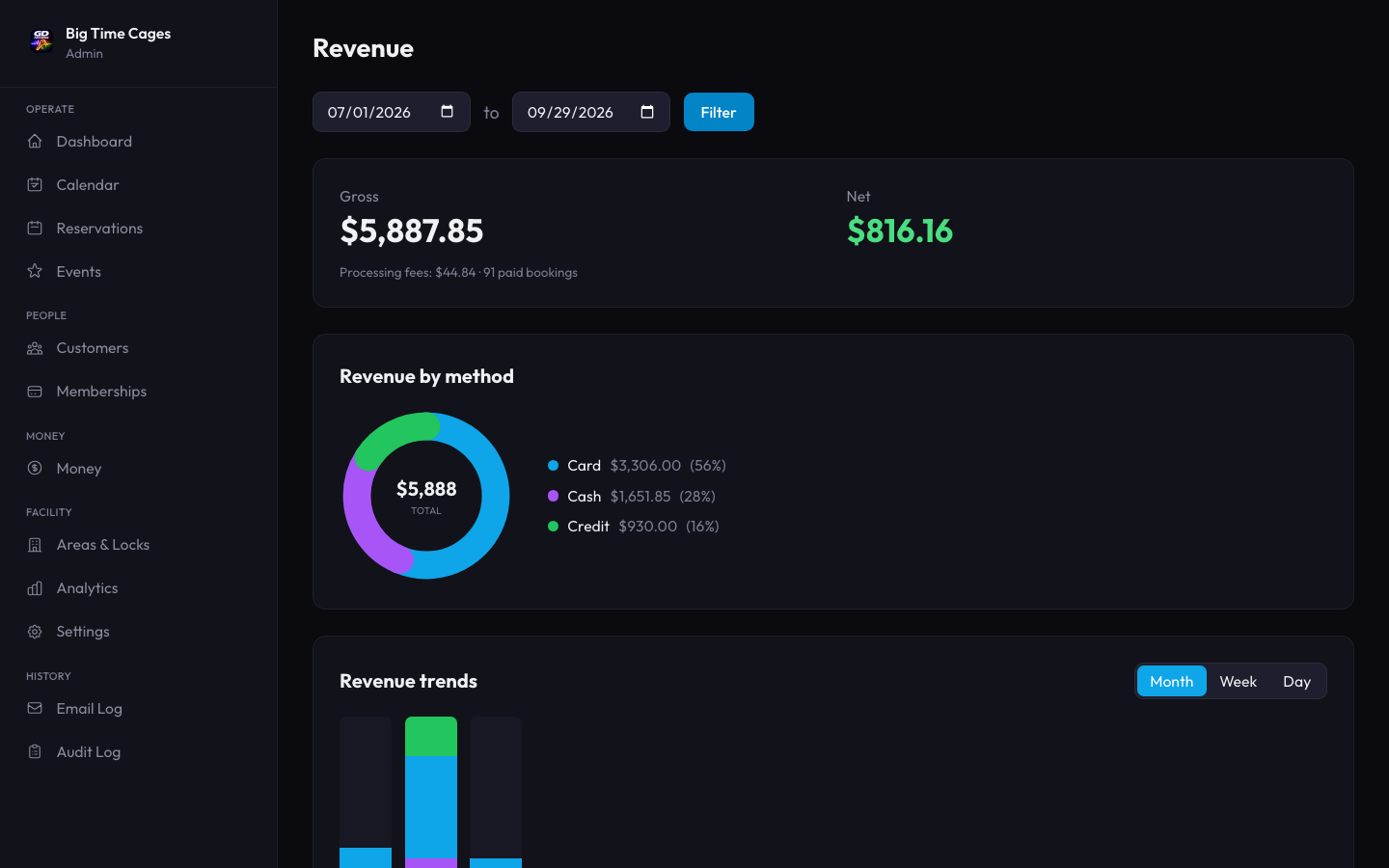
Take payment at booking, bill what's owed later, and keep every dollar reconciled — without a separate accounting tool.
Direct payouts
Customers pay online via Stripe; funds land in your bank account. You set the payout schedule, we keep it reconciled.
Customer credit balances
Sell prepaid packages, refund to credit, and apply a balance to settle an owed booking in one click — confirmation step included.
Invoice what’s owed
Booked now, paying later? Send a Stripe-hosted invoice in one click — the reservation flips to paid the moment they settle.
Receivables dashboard
See everything owed across every customer in one place, send invoices, and watch the outstanding total drop.
QuickBooks export
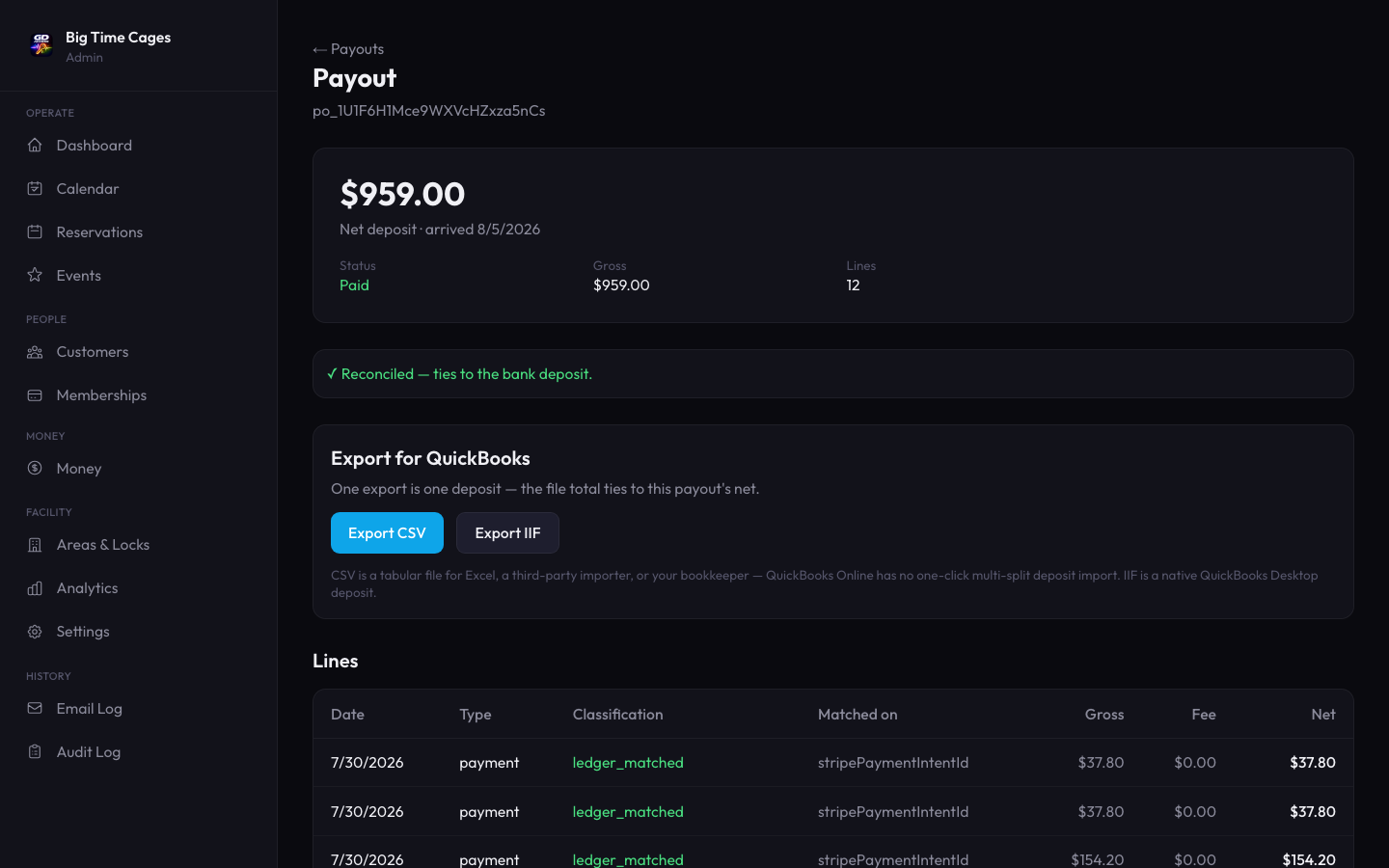
Every payout exports for QuickBooks in one click — CSV for Online, native IIF for Desktop — pre-reconciled against the Stripe deposit it came from.
Events that aren't an afterthought.
From a one-off clinic to a 12-week league. Same admin surface, same booking flow, same payment rails.
Pitching Clinic
Sat May 25 · 9:00 AM – 11:00 AM · Cage 1
Single events
Drop-in workshops, demos, or one-off camps with a capacity limit that closes registration when it's full.
Wednesday Hitting League
Wed 6:00 PM · 8 weeks · Started May 21
Recurring events
Multi-week leagues and ongoing clinics. Customers register once, the system schedules every session.
Summer Camp 2026
5 sessions · Jun 10 – Aug 12
Series with sessions
Structured progressive series — registration creates roster across all sessions automatically.
Every event gets a public signup URL ready to paste into emails and social media.
Built for the way sports facilities actually run.
Same product, fitted to your category. We've designed for the operational realities each one has.
Batting cages
Cage-by-cage availability, lock automation, league scheduling.
Indoor turf
Full-field or partition booking, equipment add-ons, member-tier pricing.
Basketball courts
Half-court or full-court, peak-evening pricing, team accounts.
Pickleball courts
Court-by-court reservations, open-play vs reserved sessions, member tiers.
Golf simulator bays
Per-bay booking, unmanned 24/7 access, session-length presets.
Training facilities
Class capacity, membership billing, recurring program series.
Multi-sport complexes
Centralized admin across categories, role-based staff access.
Know which hours are underpriced before your gut does.
A per-area occupancy heatmap shows exactly when you're full and when you're empty. Pricing suggestions turn that into a specific, actionable call — not just a chart to stare at.
- Occupancy by day and hour, per area, over any date range
- Vacancy trends over time, so a slow stretch doesn't sneak up on you
- Pricing suggestions based on real utilization, not a guess
Pricing suggestion
Tue & Wed at 9am run 15% booked. Consider an off-peak rate to fill those slots.
Live in an hour. Not a quarter.
From signup to taking real bookings. The setup wizard is built to get you from zero to live the same day you sign up.
Connect Stripe.
Hosted onboarding handles compliance, payouts, and tax.
Import facility.
Add areas, capacity, and operating hours from a single form.
Set hours.
Different hours per day. Holiday closures. Recurring blocks.
Add tiers.
Customer pricing, time-of-day rates, and add-on discounts.
Go live.
Share your booking URL. Take real reservations.
If you can finish a coffee, you can finish setup.
Three ways to look at your schedule
×Calendar is the familiar week view. Grid shows open slots at a glance. Day breaks it out by area.
A guided tour built into every page.
New staff don't need a manual. Click the ? on any page and an interactive walkthrough spotlights the real interface — not a static help doc — and shows exactly what each control does.
- Highlights the actual button or panel it's describing, live
- On demand, not forced — nothing pops up until someone asks for it
- Covers booking, payments, memberships, and facility setup
And the rest of what you'd expect
The everyday essentials for running a facility, included in every plan.
Mobile-friendly admin
Run your facility from your phone. The admin dashboard works on any screen size.
Role-based staff access
Invite your team with the right permissions — owners, staff, and read-only access for anyone who just needs visibility.
Audit log
Every booking, refund, and setting change recorded — see who did what, and when.
Customer accounts
Add customers by hand and manage credit, tiers, and reservation history in one place.
Per-area analytics
Revenue and utilization broken out by area, so you know which spaces earn their keep.
Unlimited facilities & areas
One account covers every location and every bookable space — no per-area pricing.
Simple, transparent pricing
Free for 14 days. $149/mo after that. Cancel anytime.
Standard
Credit Card Processing Fee: 3.5% + $1 per transaction
- Unlimited areas and facilities
- Unlimited bookings
- Smart lock integration (Seam)
- Stripe-powered payments
- Customer credit balances
- Invoicing and receivables tracking
- QuickBooks export (CSV and IIF)
- Settle owed bookings from customer credit
- Customer agreements and waivers
- Recurring admin blocks
- Events and camp registration
- Email notifications and access codes
- All payment processing included
No setup fee. No contracts. Cancel anytime.